Summary
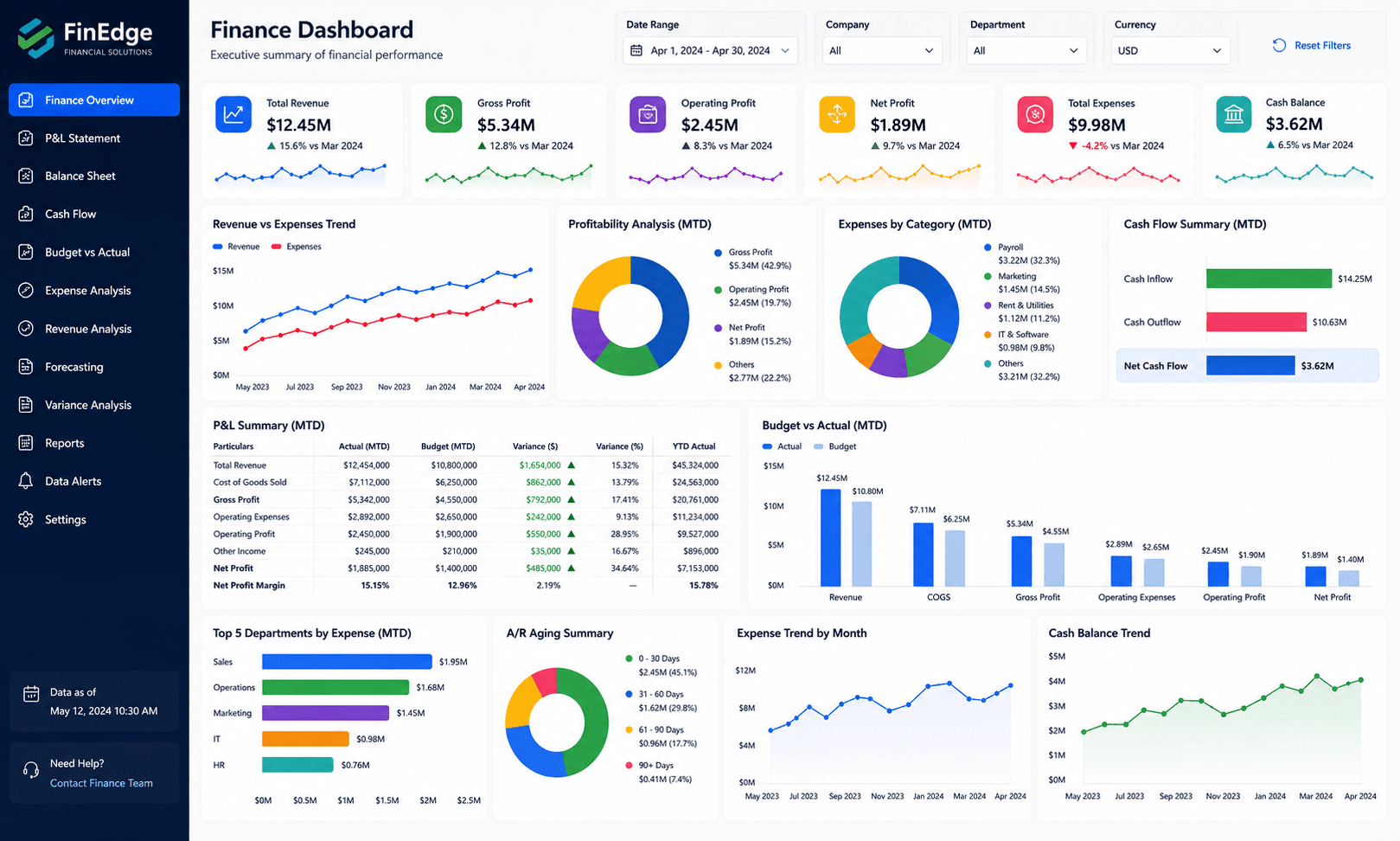
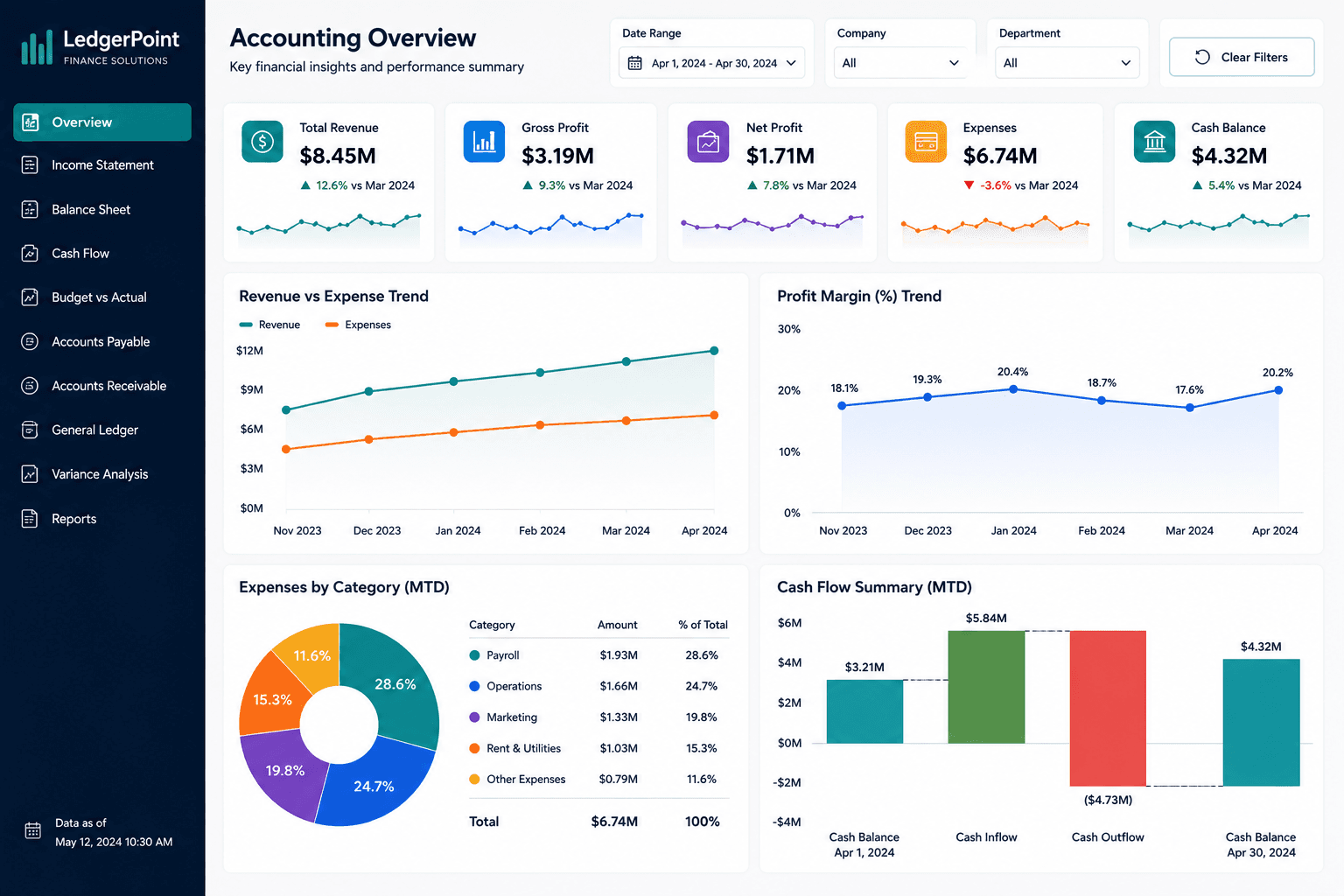
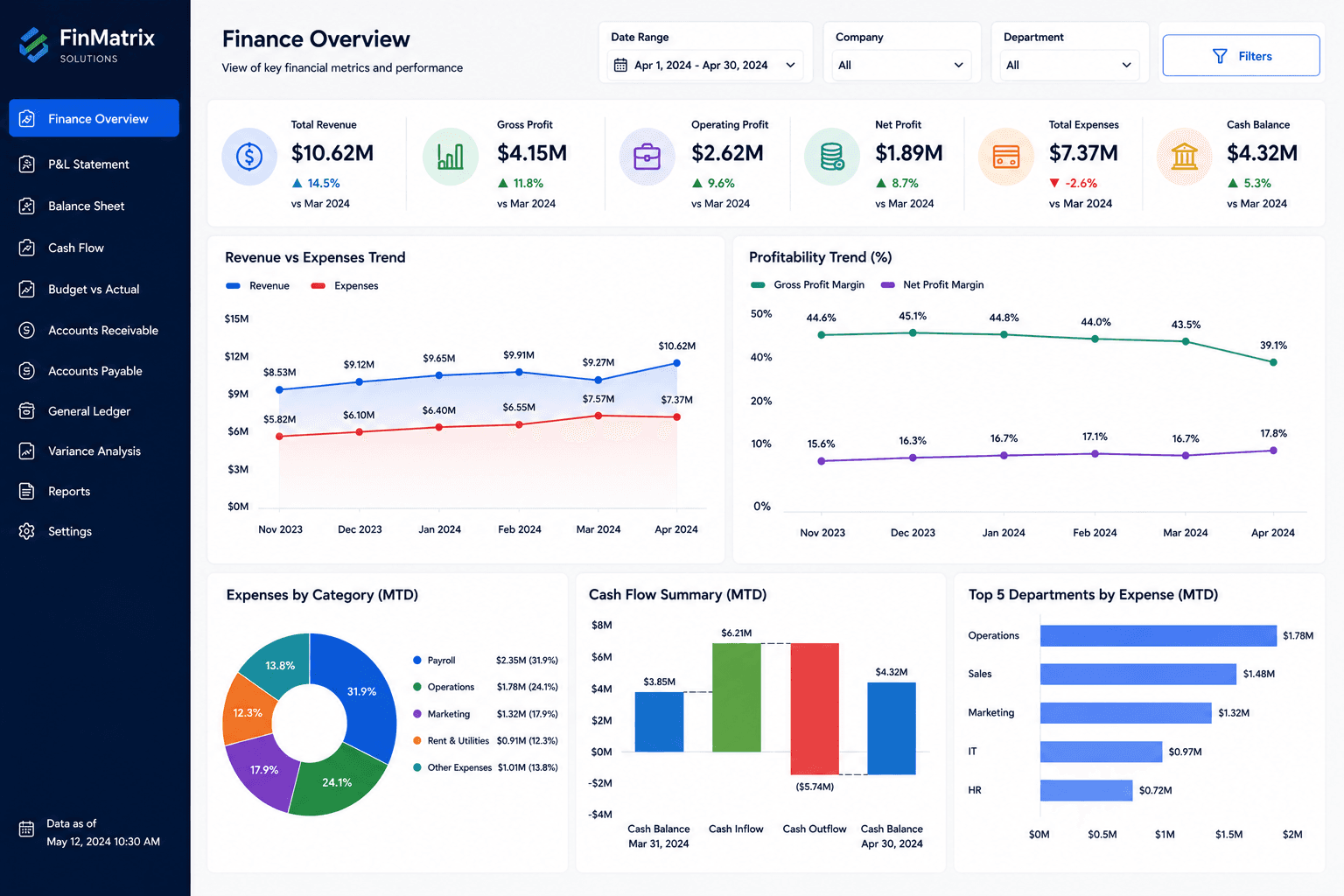
This Tableau expense dashboard focuses on cost visibility and spending control.
Project objectives
- Identify where spending is increasing.
- Support better budgeting conversations.
- Help managers control costs.
Business challenge
The client could see total expenses but struggled to identify cost drivers quickly.
How the dashboard was built
The process included cleaning expense records, grouping categories, building calculated fields, and designing visuals that highlight spending changes clearly.
Solution delivered
We built an interactive Tableau dashboard with expense trends, department comparisons, and budget variance visuals.
Key insights of this dashboard
This dashboard helps users move from a high-level performance view into more specific business insights. It is designed to make trends, gaps, and opportunities easier to identify without relying on manual spreadsheet reporting.
- Expense trend analysis
- Budget versus actual spending
- Department cost comparison
- Category-level spending review
- Cost control visibility
Client feedback
The client liked how quickly they could identify the departments and categories responsible for rising costs.
What you can expect
This dashboard can help your business control spending and improve financial planning.
Related services
How to use this dashboard
Start with the KPI cards, then use the visuals to compare trends, identify performance changes, and drill into the areas that need attention. In a live version, users can interact with slicers, charts, bookmarks, and report pages.
The interaction, download, and open report options are locked for now. Users can sign up and request the complete dashboard file when you are ready to provide access.