Summary
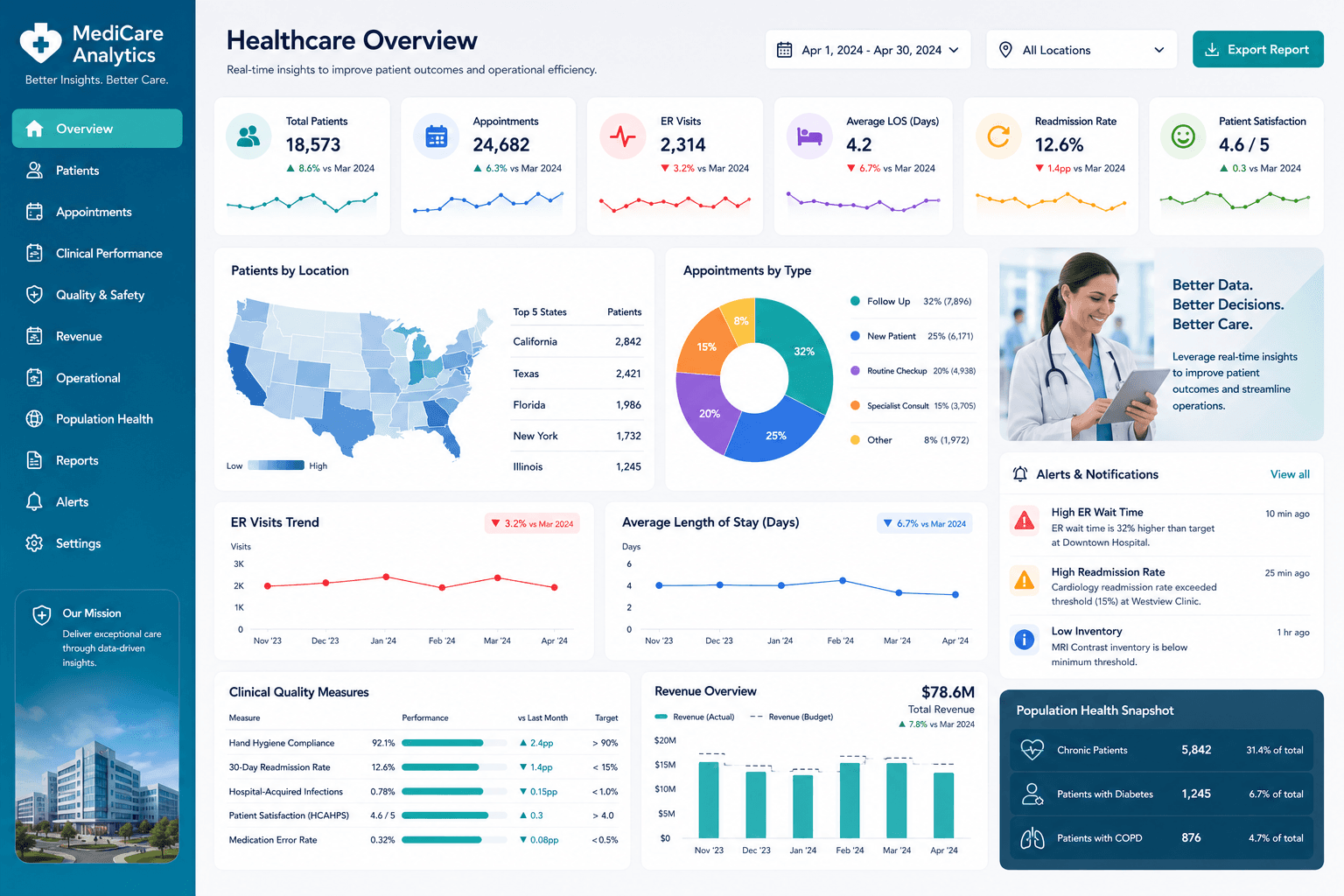
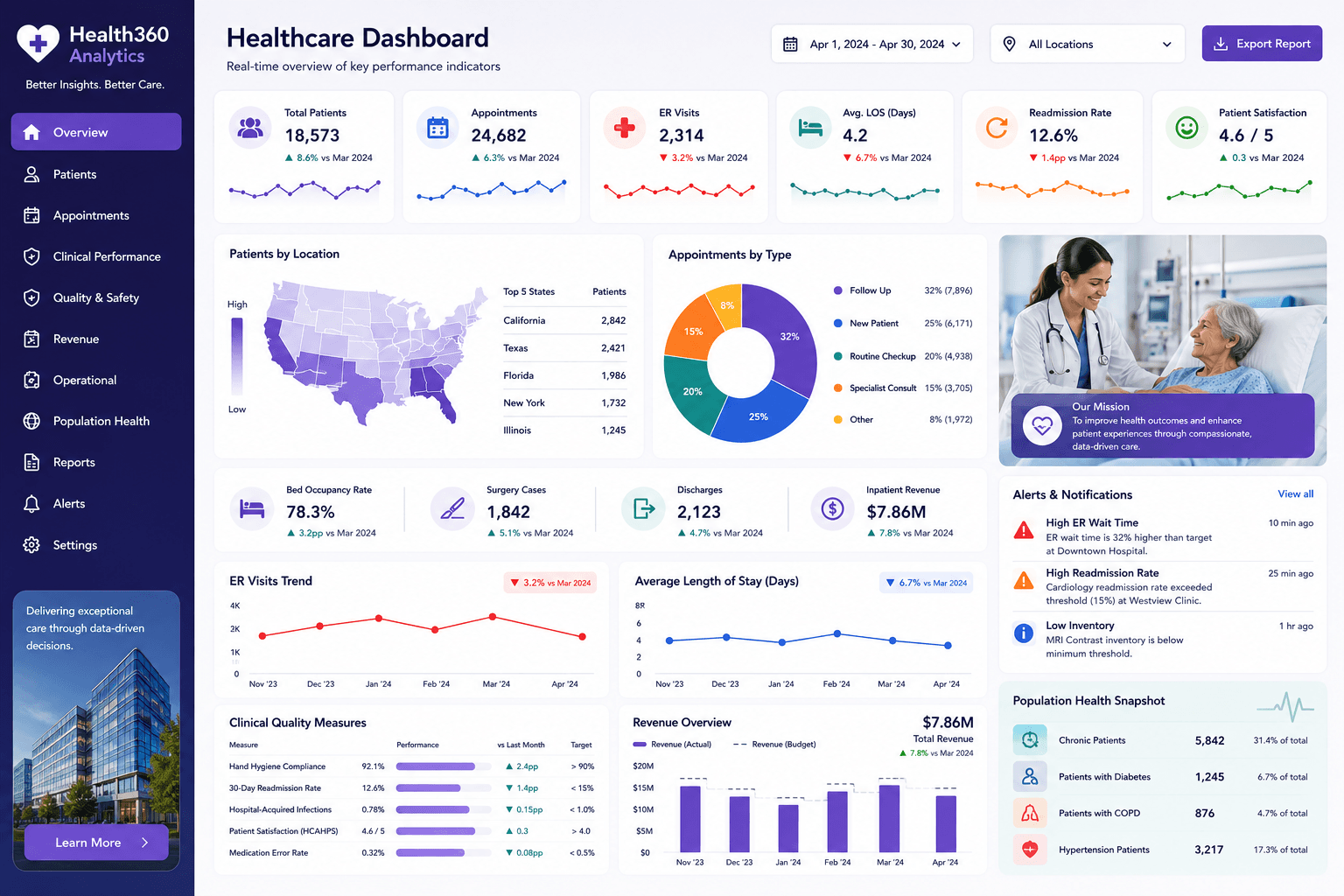
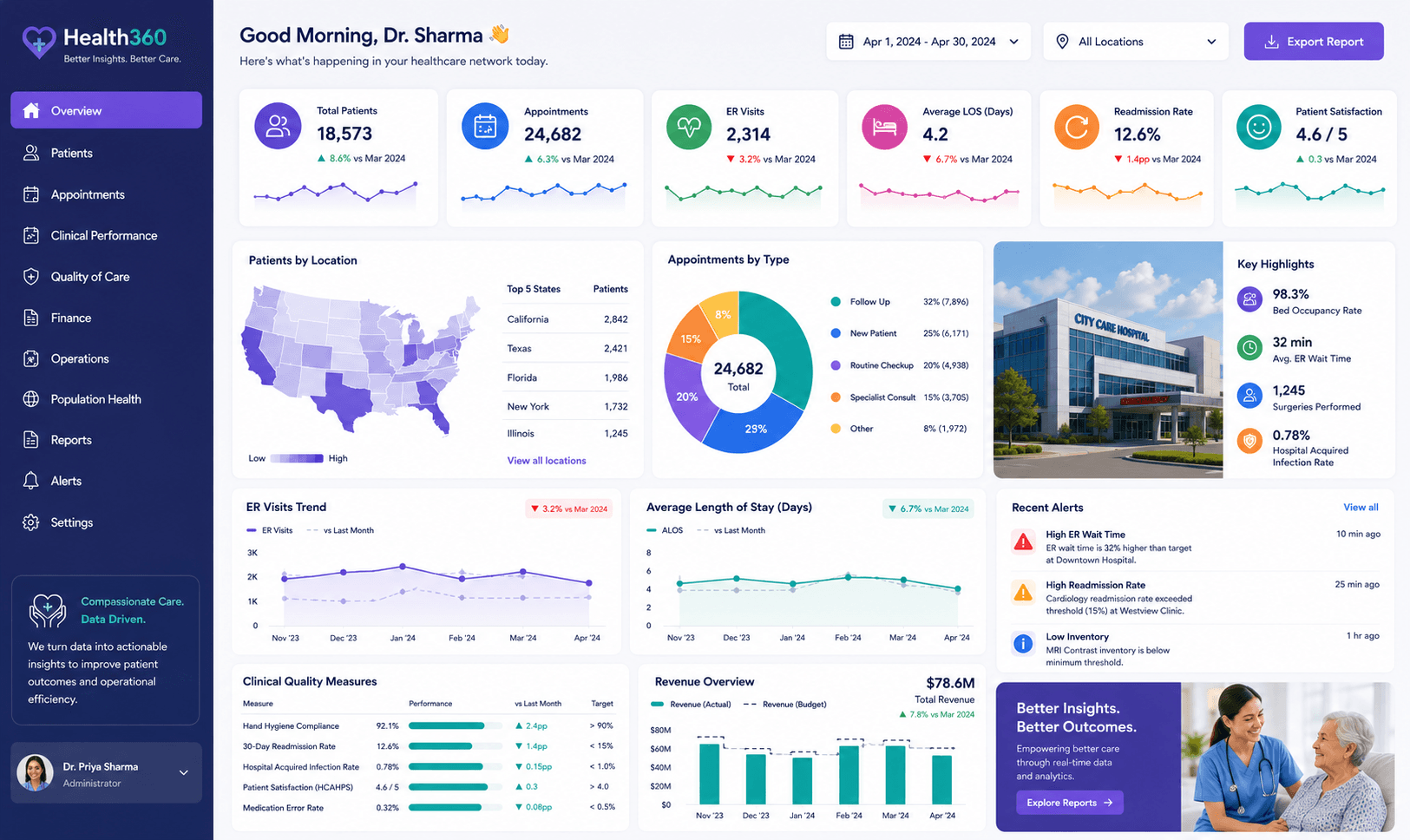
This Tableau clinical operations dashboard helps healthcare teams understand operational activity and service performance.
Project objectives
- Help managers understand workload.
- Show service usage patterns.
- Support clinical planning.
Business challenge
The client needed a clearer way to understand clinical workload and service usage across departments.
How the dashboard was built
We structured the clinical data, created calculated fields, designed workload and utilization views, and refined the dashboard for management review.
Solution delivered
We built a Tableau dashboard with interactive filters, operational KPIs, trend visuals, and service comparisons.
Key insights of this dashboard
This dashboard helps users move from a high-level performance view into more specific business insights. It is designed to make trends, gaps, and opportunities easier to identify without relying on manual spreadsheet reporting.
- Clinical workload monitoring
- Service utilization trends
- Patient activity reporting
- Operational KPI review
- Performance improvement insights
Client feedback
The client liked the dashboard because it made operational pressure easier to see and discuss.
What you can expect
This dashboard can help healthcare teams improve visibility, planning, and service management.
Related services
How to use this dashboard
Start with the KPI cards, then use the visuals to compare trends, identify performance changes, and drill into the areas that need attention. In a live version, users can interact with slicers, charts, bookmarks, and report pages.
The interaction, download, and open report options are locked for now. Users can sign up and request the complete dashboard file when you are ready to provide access.